Ditch USB Drives and PowerPoint: The Smarter Way to Manage Restaurant Menu Boards
Still updating your TV screens with a USB stick or a laptop running PowerPoint? See why restaurants, cafes, and bars worldwide are switching to a simple cloud dashboard instead — and what changes once they do.
Why Restaurants Worldwide Are Ditching USB Drives and PowerPoint for Digital Menu Boards
If you run a restaurant, cafe, or bar, you’ve probably lived this moment: a price changed, a dish sold out, or a happy hour started — and updating your TV screen meant walking over with a USB stick, fumbling with a laptop running PowerPoint, or calling whoever “knows how the screen works.” It’s slow, it’s clunky, and it doesn’t scale past one location.
Across hospitality businesses internationally — from cafes in Brisbane to restaurants in Sydney to bars in Melbourne — owners are replacing this entire process with one thing: a cloud dashboard they can update from their phone, in seconds, from anywhere.
Here’s the problem with the old way, and what’s replacing it.
The Old Way Is Costing You More Than Time
USB drives mean physically walking to the screen every time something changes. Forget the stick at home? The update waits.
Laptops running PowerPoint tie up a device, look unprofessional when they glitch or go to sleep mid-display, and require someone “technical enough” to manage slide transitions and file formats.
Printed menus and signs can’t be changed in real time at all — a sold-out item or a flash promotion just sits there, wrong, until someone reprints.
None of this scales. If you have two locations, you now need two people walking to two screens with two USB sticks. If you have ten, it’s not just inefficient — it’s unmanageable.
What Switching Actually Looks Like
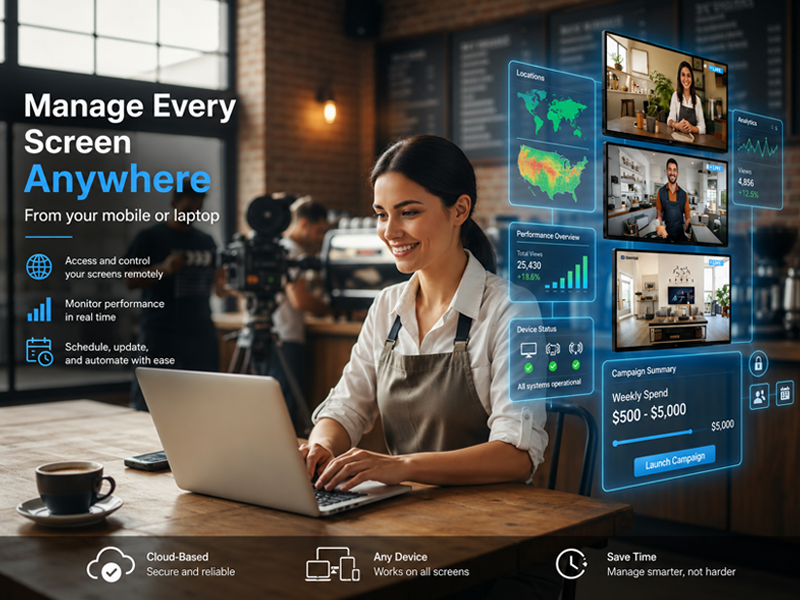
The fix isn’t complicated. It’s a cloud-based dashboard where you upload your menu, special, or promotion once, and it pushes live to every screen instantly — no matter where you are.
A few things change immediately once you switch:
- Updates take seconds, not a trip across the restaurant. Sold out of the salmon? Update it from your phone before the next table orders.
- One dashboard manages every screen, even across multiple locations. No more relying on whoever’s on-site to handle it manually.
- No technical skill required. If your team can use email, they can manage the signage — no IT person needed.
- Screens stay secure and reliable. Each display connects through its own secure URL, and content refreshes automatically, so there’s no manual reset or babysitting required.
- It works on hardware you may already have — Smart TVs, Fire Stick, Android TV Box, or just a Chrome browser — so there’s usually no new equipment to buy.
Real Impact for Hospitality Businesses
This isn’t theoretical. Businesses that have made the switch report some consistent wins:
- Daily specials updated in under a minute, instead of being stuck on yesterday’s chalkboard photo
- Multiple screens running consistently across a location within 20 minutes of setup
- No more laptop running slideshow software in the corner, restarting itself at the worst possible time
The common thread: less friction between “we want to change something” and “it’s live on the screen.”
Is This Worth It for a Single-Location Business?
Yes — arguably even more so. A single cafe or bar doesn’t need an enterprise signage system with a steep learning curve. What it needs is something simple enough to set up in one sitting, affordable enough to not think twice about, and reliable enough to never worry about again. That’s the entire design point of a lightweight cloud dashboard over heavier traditional signage software.
Getting Started
If you’re still updating screens with a USB stick or a laptop balanced on a shelf, here’s the honest case for switching: it takes about 10 minutes to set up, doesn’t require new hardware in most cases, and removes an entire category of daily friction from running your business.
Take a look at how it works on the features page, compare options on the pricing page, or check the FAQ if you’ve got specific questions before switching.
Start your free 14-day trial — no credit card required.